- Step 1: Log in to your Registration Resource Center using the email you registered with and the password you set during registration. If you do not remember your password, you can use the "Forgot My Password" link.
-
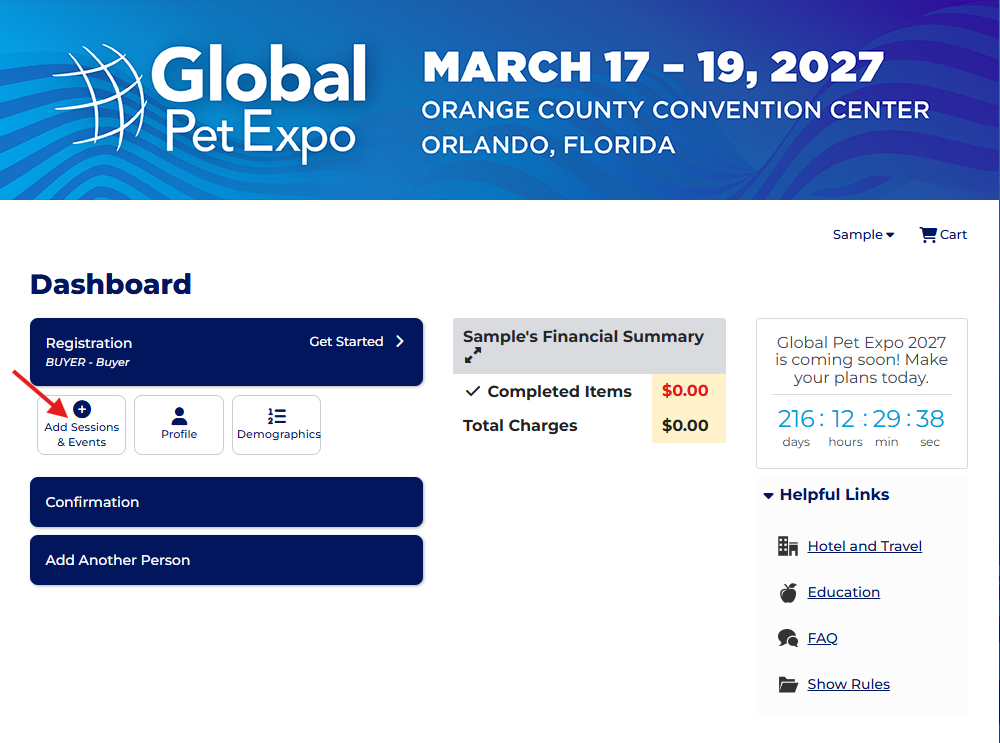
Step 2: Once logged in, you’ll see the page below. Click 'Add Sessions & Events' to proceed.
-
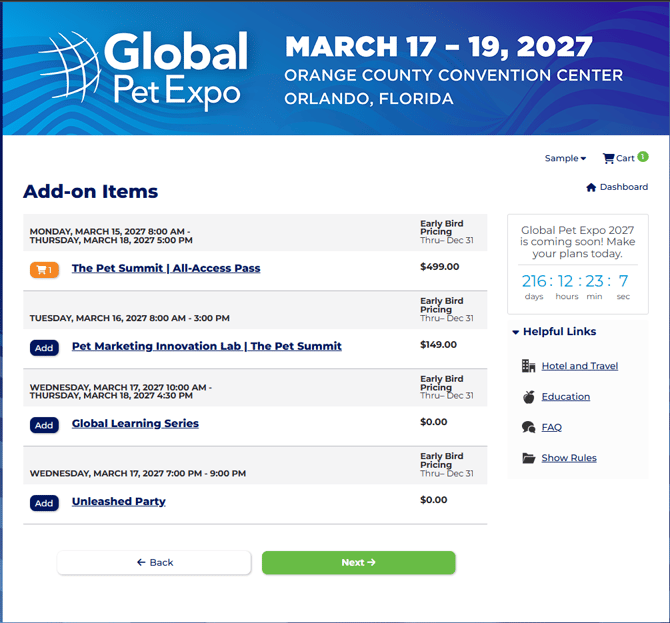
Step 3: Make your selections, then click the next button to be brought to your cart. On that page you will see your button to check out and pay
English